AuctionsHow does it work?
Auctions
Customers bid on the products you have listed

Black dressDress
Auction
$22 Anna SzewczykAnnaleads00:05
Limit
Bid: $23
Auctions
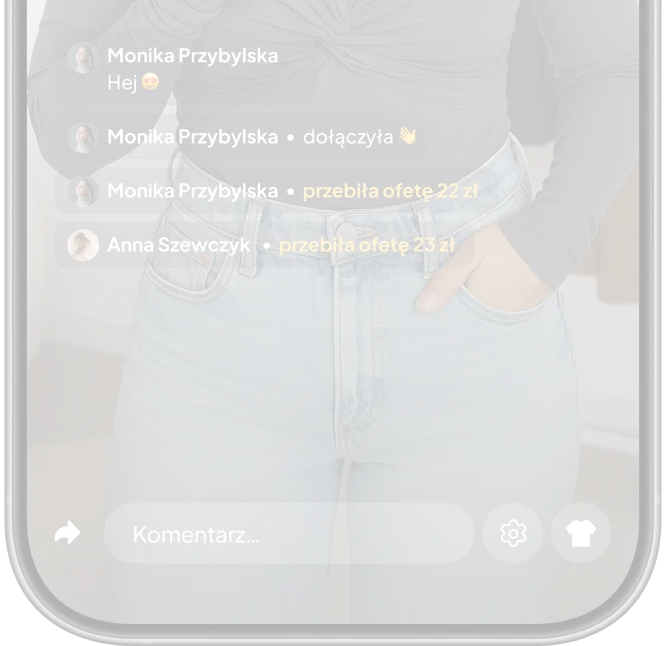
Customers bid live during the live
 Asia Jareczkowins the auction
 Catherine Nowakoutbid
 Grażyna Kowalskaoutbid
 Wojtek Bernatoutbid
 The auction has started
Auctions
The highest bid wins

 Anna NowickaWins the auction
Auctions
Sell products without putting them into stock
Select sales type Product
from stock
Product
from stock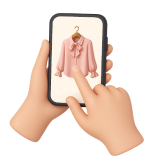 Product on screen
Product
from stockProduct on screenStarting price
1 zł
Minimum price
Sum
Raise amount
5 zł
Offer duration
15 sec
Confirm
Frequently Asked Questions
Auctions are a new way of selling in the Selmo app that transforms regular live shows into an engaging show. Customers see a countdown clock and can place bids with a single swipe of the "Bid" slider. Each swipe increases the price of the item. The highest bidder wins by the time the countdown ends.
To bid, customers must first set up their payment and shipping methods in the Selmo app. This will automatically collect payment upon winning, ensuring a quick and secure order completion process.
Start your live show in the Selmo app. Then, open the Selmo dashboard on your computer and click "Manage Stream." Select "Showcase Product," set the sale type to "Auction," configure the prices, time, and bid amount, and finally click "Confirm." The bidding will automatically begin.
Auctions attract more customers, increase viewer engagement, generate higher sales, help sell out last items quickly, and increase the average basket value.
Auctions are great for last-minute items, unique models, mystery boxes, styling sets, and premium or limited-edition products.
Yes, when you set up bidding, you set both the minimum price below which the product will not be sold and the minimum bid amount.
Of course – you can set the auction duration as you wish, choosing the number of minutes or seconds.
Yes, you can seamlessly switch between sale types. For example, you can auction off one product and sell the rest as usual.